Changelog

Follow new updates and improvements to Puppet Vendors.

✉️ Make every email and document sound like you
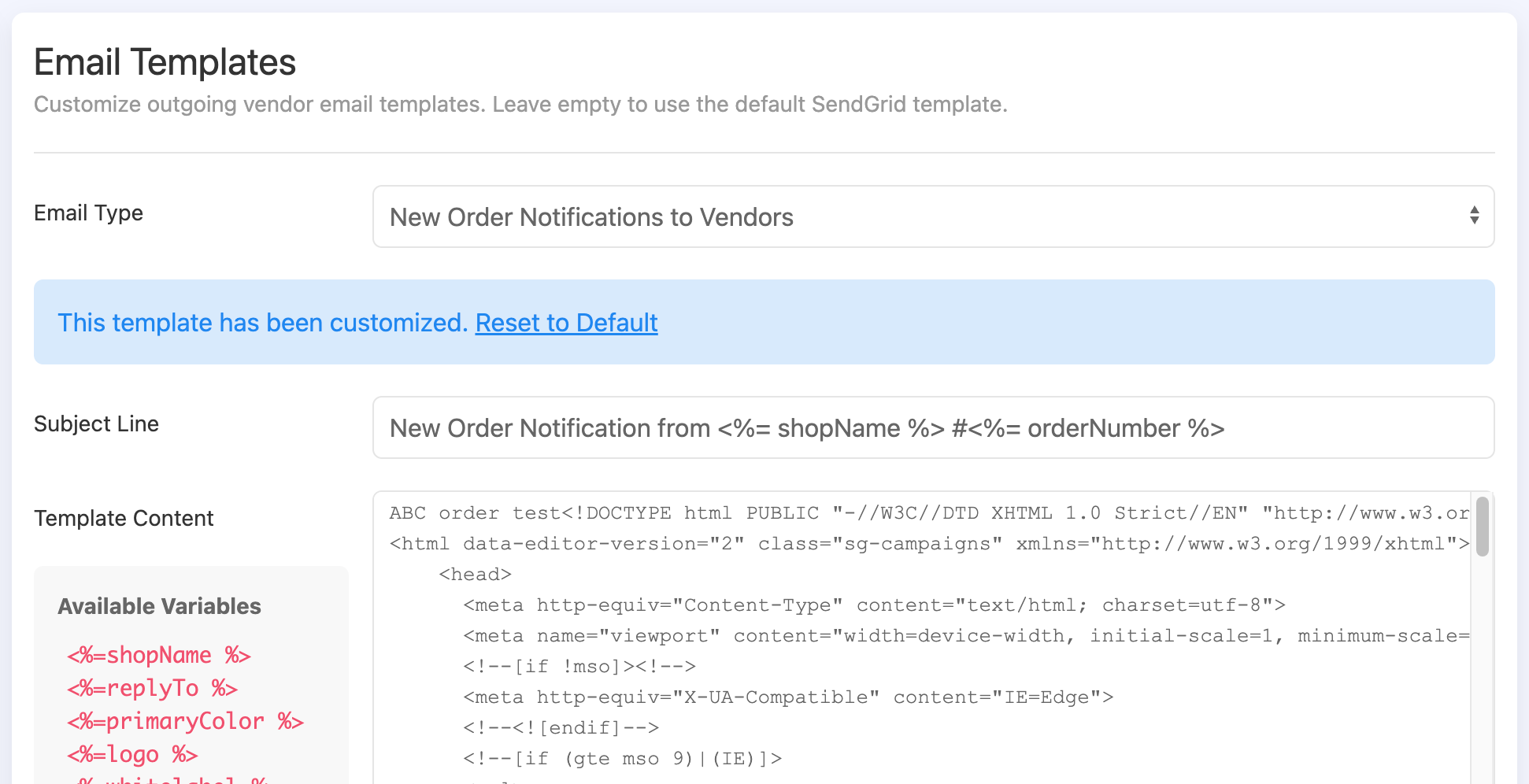
Your customer emails and packing slips can match your brand and say exactly what you want.

• Rewrite email wording and subject lines, in any language you support.

• Auto-fill live order details, like the order number, right in the subject or body.

• Choose which order details show in each email.

• Edit the layout and wording of documents like packing slips, and show order notes on them.

• Turn individual notification emails on or off.

What should I do: Message us in the app chat to turn it on. You can then edit templates under Settings. This is a hands-on tool, so it helps to be comfortable writing template variables and prompts.

Optional: We also offer a paid customization for each of the templates.
Improved

Product Improvements / 13th May, 2026

✨ New Features

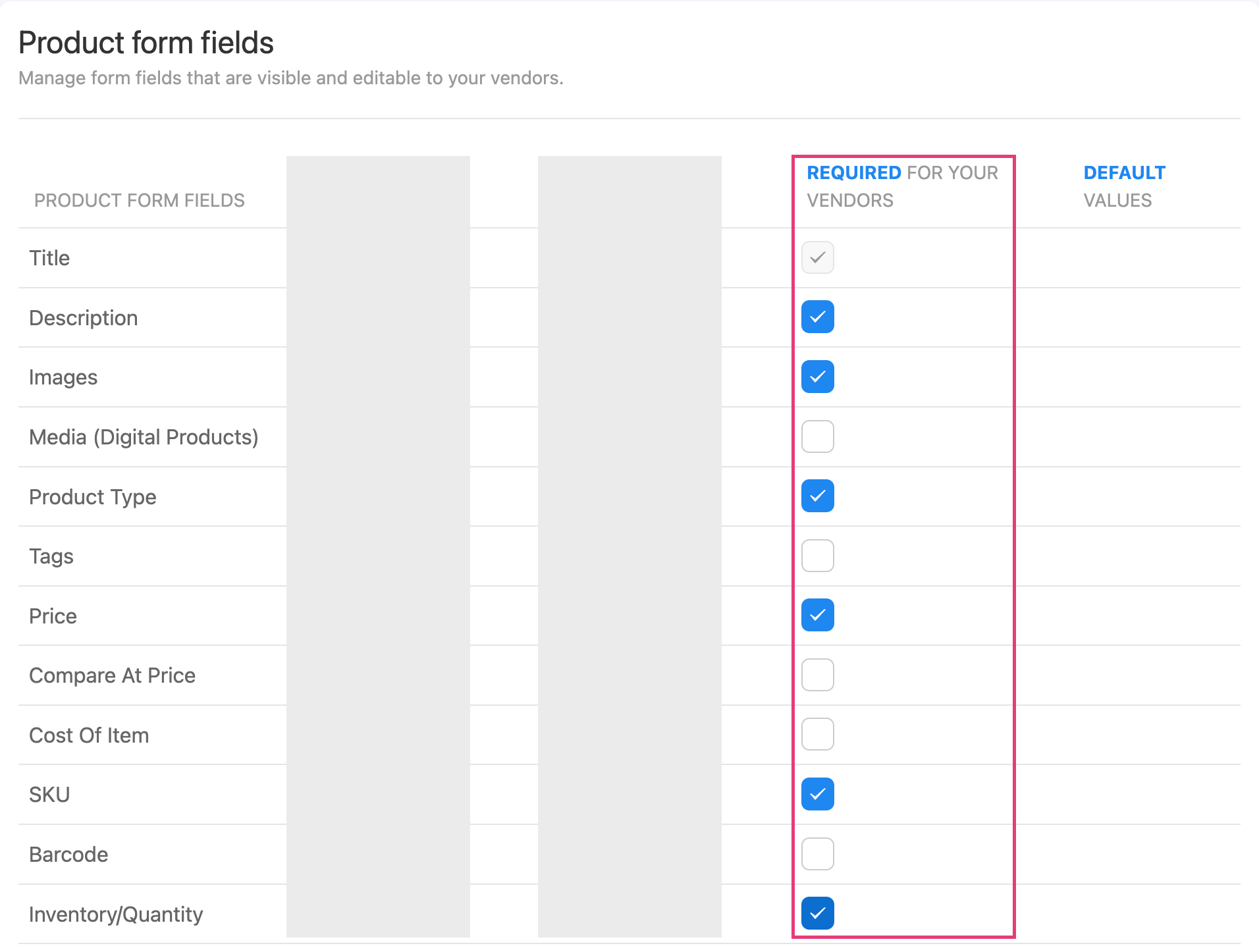
  1. Required Product Form Fields

You can now choose which product fields your vendors must fill in before saving. This includes description, images, price, SKU, barcode, inventory, weight, and more.

This gives you full control over product data quality across your marketplace. No more chasing vendors to complete missing information.

Head to Settings → Products → Metafields to set it up.

  1. Order Notes Visibility Control

A new toggle in Advanced Visibility Control lets you show or hide order notes from your vendor portal and packing slips.

When you have order notes that are only relevant to your internal team, simply toggle them off. Vendors won’t see them, and your pages load faster too.

🛠️ Improvements

  • Zebra Barcode Printing - Barcode labels now print crisper and more legible on Zebra thermal printers, with improved text sizing across label formats.

  • Multi-Language CSV Exports - Exported CSV files now display special characters correctly in Excel and Google Sheets. Great for stores with product names or vendor details in languages like Vietnamese, Chinese, Arabic, and more.

  • Automated Reporting Delivery Retry - If a scheduled vendor report fails to send, the system now automatically detects it and resends the next day.

  • Security: Vendor signup forms now include stronger protection against automated bot registrations.

NewImproved

Product Improvements / 17th September, 2025

Vendors in Vacation mode

What it does

  • Set availability easily
    Vendors can activate Vacation Mode when they need time off, ensuring no new orders come in during their break.

  • Auto-hide listings
    Products are put to Draft mode instantly once turned on, preventing accidental sales.

  • Quick restoration
    Listings reappear as soon as vendors return, with no manual setup required.

  • Hands-off process
    Removes the need for you or the vendors to toggle products one by one, minimizing errors.

How this helps you

  • Protects customer experience by avoiding delays or cancellations.

  • Saves you time since there’s no action required directly on your end.

  • Builds trust through a consistent, reliable storefront.

  • Keeps your vendors engaged by giving them flexibility without added stress.

The steps to set it up and other information related to this feature can be found here.

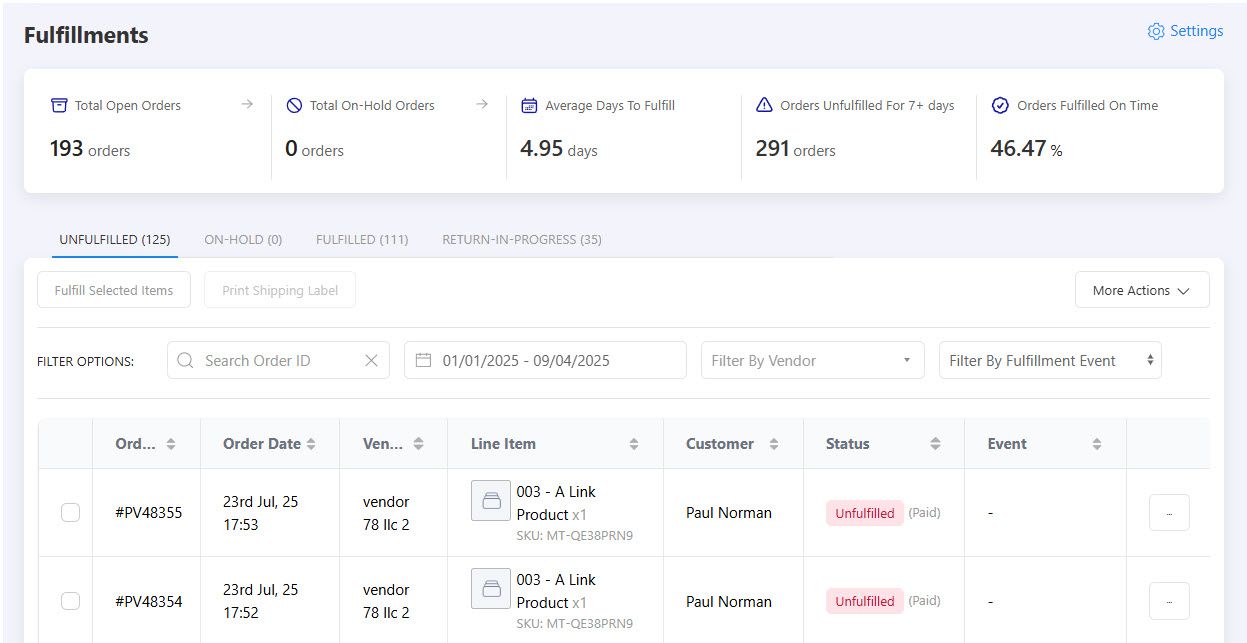
(BETA) Fulfillments tab enhancement - updated filters and search box field

Reach out via support to get access.

We’ve upgraded the Fulfillments tab to give you and your vendors sharper tools for order management.

Key Improvements

  • Statistics counters
    Quick, at-a-glance view of order volumes for better tracking and monitoring.

  • Search by Order ID
    Locate orders instantly without scrolling or guesswork.

  • Categorized status tabs
    Orders are grouped by status for clear visibility and faster action.

How it helps you and your vendors

  • Saves time with faster searches and better navigation.

  • Improves accuracy by reducing missed or unprocessed orders.

  • Boosts efficiency for both you and your vendors when managing multiple transactions.

  • Delivers clarity with organized, easy-to-read status updates.

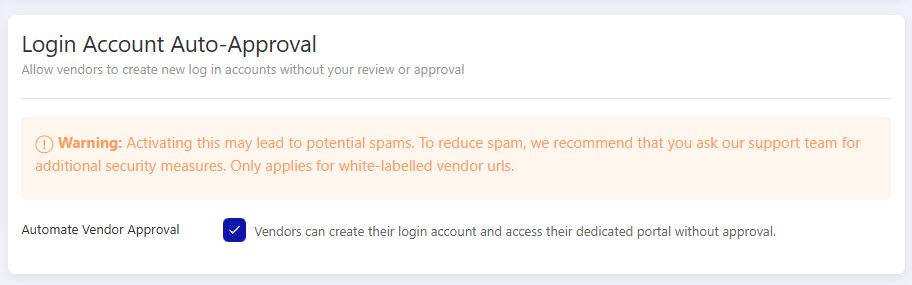
Auto-Approve Vendor Accounts

This feature allows you to automatically approve vendor or seller accounts when they fill out the sign-up form — no manual review needed.

What to expect:

  • Instant onboarding
    As soon as a vendor fills out the signup form, their account becomes active automatically—fast access with zero delays.

  • Simplified admin workflow
    Removes the need for manual approval steps; saves time on reviewing and approving each request.

  • Customizable signup page
    Vendors can apply via a sign-up form that makes the opt-in for auto-approval clear and user-friendly.

This provides you, as merchants:

  • Faster growth opportunities with minimal intervention

  • Less administrative burden

  • Better vendor experience with scalable and automated onboarding

This help document illustrates how to set it up in detail.

NewImproved

Earlier updates