Changelog

Follow new updates and improvements to Puppet Vendors.

July 28th, 2026

✉️ Make your emails and documents your own

Your customer emails and packing slips can now match your brand and say exactly what you want.

What's new:

  • Editable email templates. Change the wording of your emails and set your own subject lines, including subjects that fill in details like the order number automatically.

    Customization in different languages is also available.

  • Editable document templates. Update the layout and wording on documents like packing slips.

  • Order notes on packing slips. Show order notes on the packing slip so your vendors have the full picture when they pack.

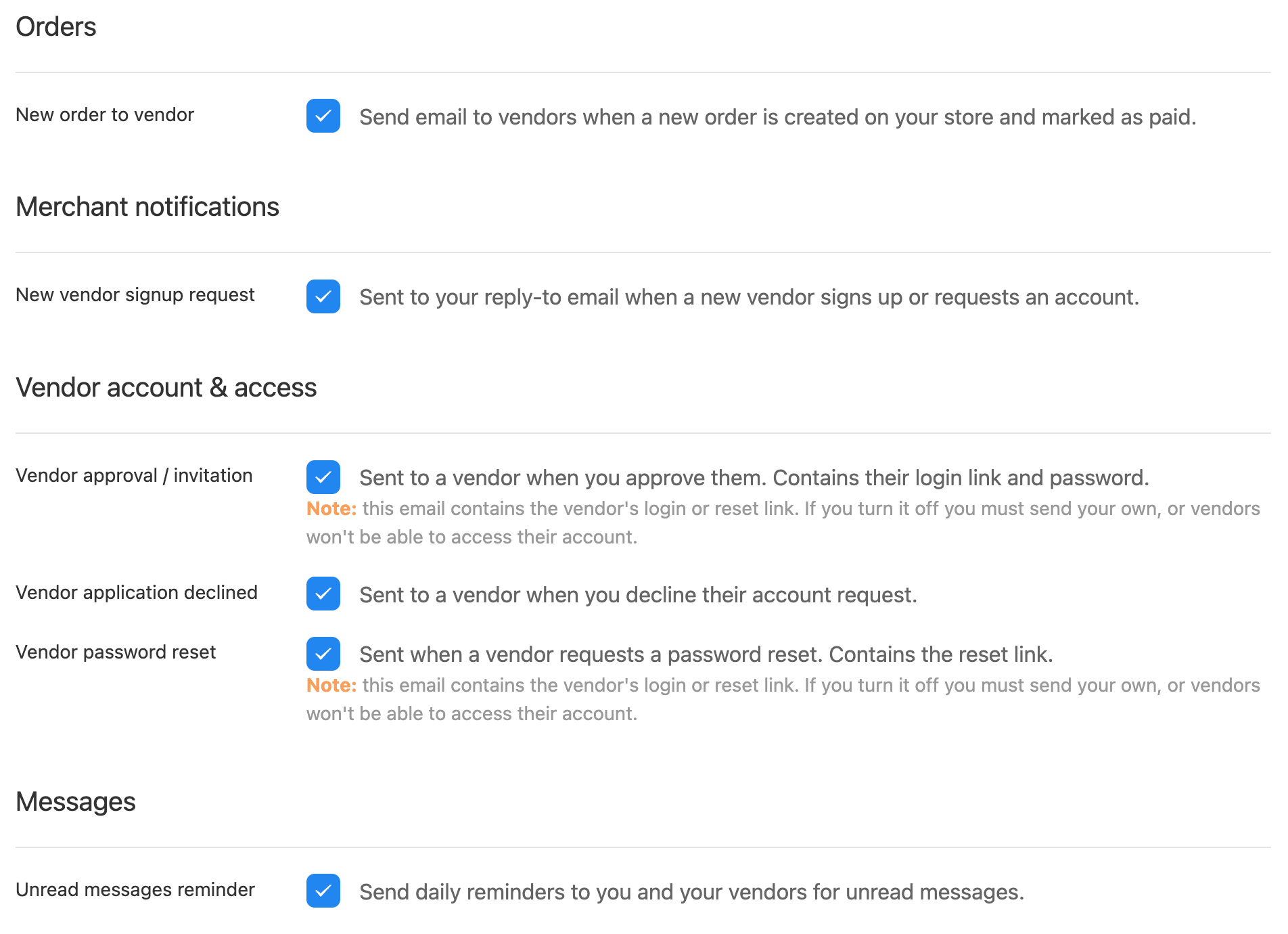
  • Control which emails go out. Turn specific notification emails on or off, so your vendors and customers only get the messages you actually want to send.

How to get started: Reach out to support to request changes to the template.

July 20th, 2026

📦 Faster shipping: Easyship, Package Manager, and Multi-carrier live rates.

We've given shipping a major upgrade so you can quote, buy, and print in fewer clicks, with more carrier choice than ever.

What's new:

  • Easyship is here. Connect your Easyship account to get live rates and print labels, right next to your other carriers.

  • One-click labels. Buy a label and get the packing slip with the label already on it, all in one click. No more jumping between screens. One-click labels are currently only available to ShipStation customers.

  • Live rates at checkout. Show real shipping rates from more than one service and let the buyer pick. The rate you quote is the rate you pay, so nothing gets lost in between.

  • One place for package sizes. There's a new Package Dimensions page under Settings, Shipping. Set your default box sizes once and they work across all your shipping providers, not just one.

  • Faster ShipStation printing. Quote and print ShipStation labels in a single step.

How to get started: Go to Settings → Shipping to set your package sizes and connect Easyship. Your new carriers show up automatically when you buy or print a label. Guide: https://help.puppetvendors.com/en/article/easyship-access-token-shipping-labels-and-real-time-shipping-rates-248xre/

Less clicking, more shipping.

July 10th, 2026

🌍 Pay your vendors anywhere with Stripe Global Payouts

Paying vendors in other countries used to mean manual transfers, currency headaches, and chasing bank details. Not anymore.

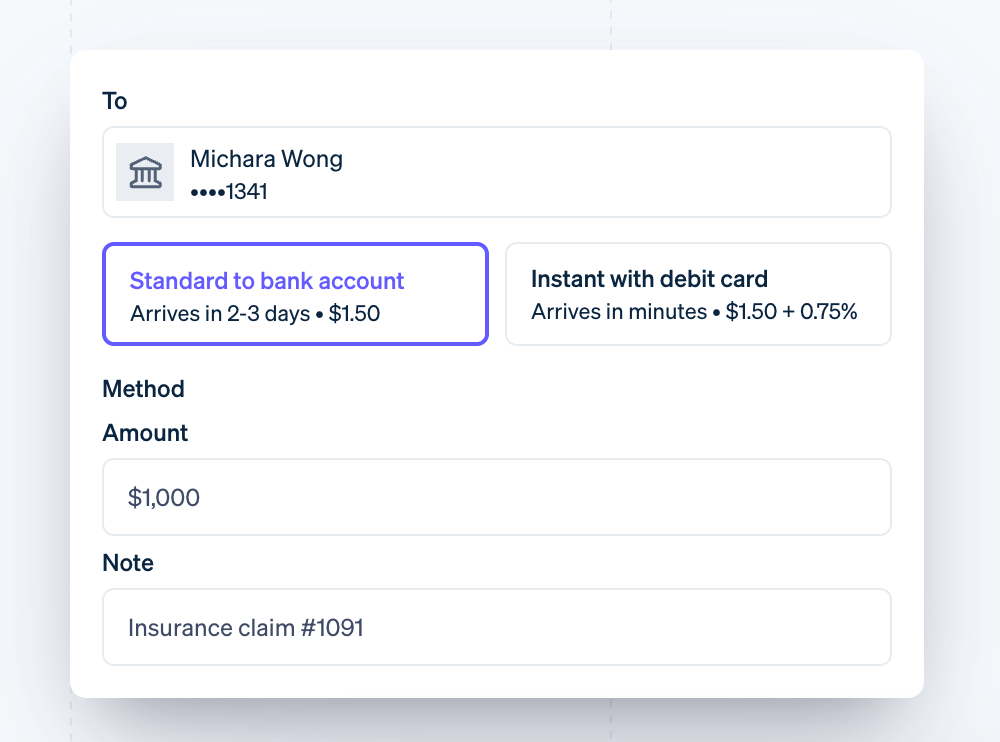
Stripe Global Payouts lets you send payments to your vendors across borders, right from PuppetVendors. Vendors get paid to their local bank accounts directly, and you get one simple place to manage it all.

What's included:

  • Cross-border payments to vendors in supported countries, paid out to their local bank account

  • Simple vendor onboarding - vendors connect their details once from their portal, and they're ready to receive payments

  • Pay directly from your payouts page - no separate tools or manual bank transfers

  • Clear fee estimates shown before you pay, so there are no surprises

Supported vendor countries: United States, United Kingdom, United Arab Emirates, Australia, Canada, New Zealand, and Singapore. Reach out to pay vendors in more countries.

Note: To use Stripe Global Payouts, your Stripe account must have Global Payouts available. This is currently only supported for merchants with a US or UK Stripe account. Once that's in place, reach out to our team, and we'll activate it for you.

June 9th, 2026

📨 Digital Products: Better File Management, Delivery & Reliability

We've made a series of improvements to how digital products work in PuppetVendors, from file management to delivery reliability.

Better File Management for Vendors

  • Preview and Download Files

    Vendors can now click on any uploaded digital file to view or download it directly from the product form. No more guessing whether the right file was uploaded.

  • Upload Progress

    Uploading digital files now shows a dedicated progress panel with the file name, a progress bar with a percentage, and a cancel button. When uploading multiple files at once, each file shows its own status so vendors always know exactly where things stand.

  • Cleaner Product Forms

    The digital files section now only appears on products that are marked as digital. If you're selling physical products, the form stays clean and simple with no unnecessary sections getting in the way.

Mixed Orders: Physical and Digital in One Cart

Customers can place a single order that includes both physical and digital products. Physical items follow your normal fulfillment process, while digital files are delivered automatically. No workarounds needed, no separate checkouts.

Download Tracking for Merchants

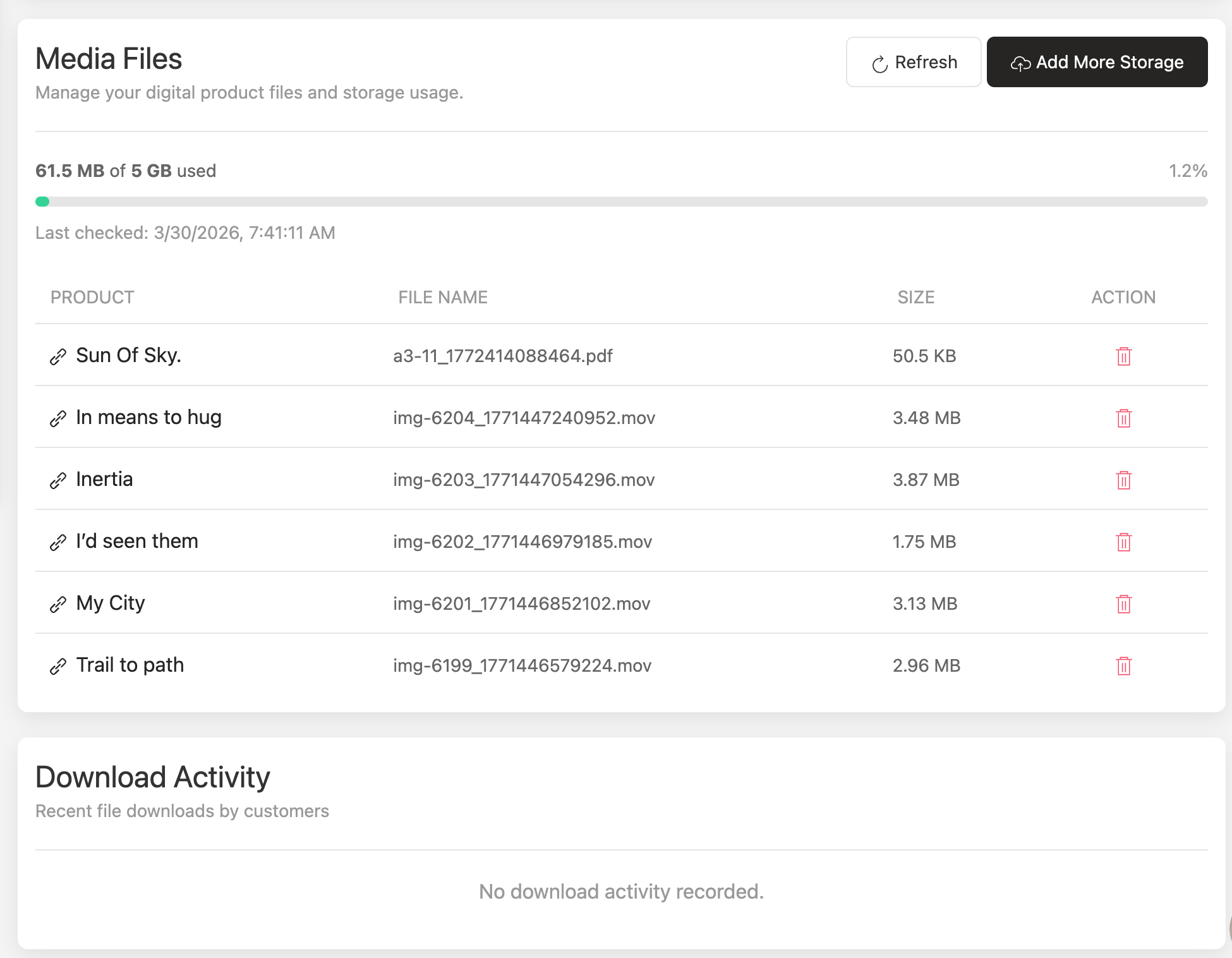
You can now see exactly who downloaded what and when. A new download tracking section shows the customer email, order number, file name, and download time for every digital file. This gives you full visibility into how your digital products are being accessed after purchase.

More Reliable Delivery

We've improved digital product delivery to work more consistently across all store configurations. Your customers will receive their digital files reliably, every time.

File downloads are also more dependable, with improvements that prevent rare cases where download links could stop working after a product update.

These updates are live now. No action needed on your end. If you sell digital products, your vendors and customers are already benefiting from these improvements.

May 26th, 2026

✨ Advanced Commission Rules Engine

The Problem

Managing commissions across different products, vendors, and order types has meant juggling manual overrides and separate settings. As your marketplace grows, this gets harder to manage.

What’s New

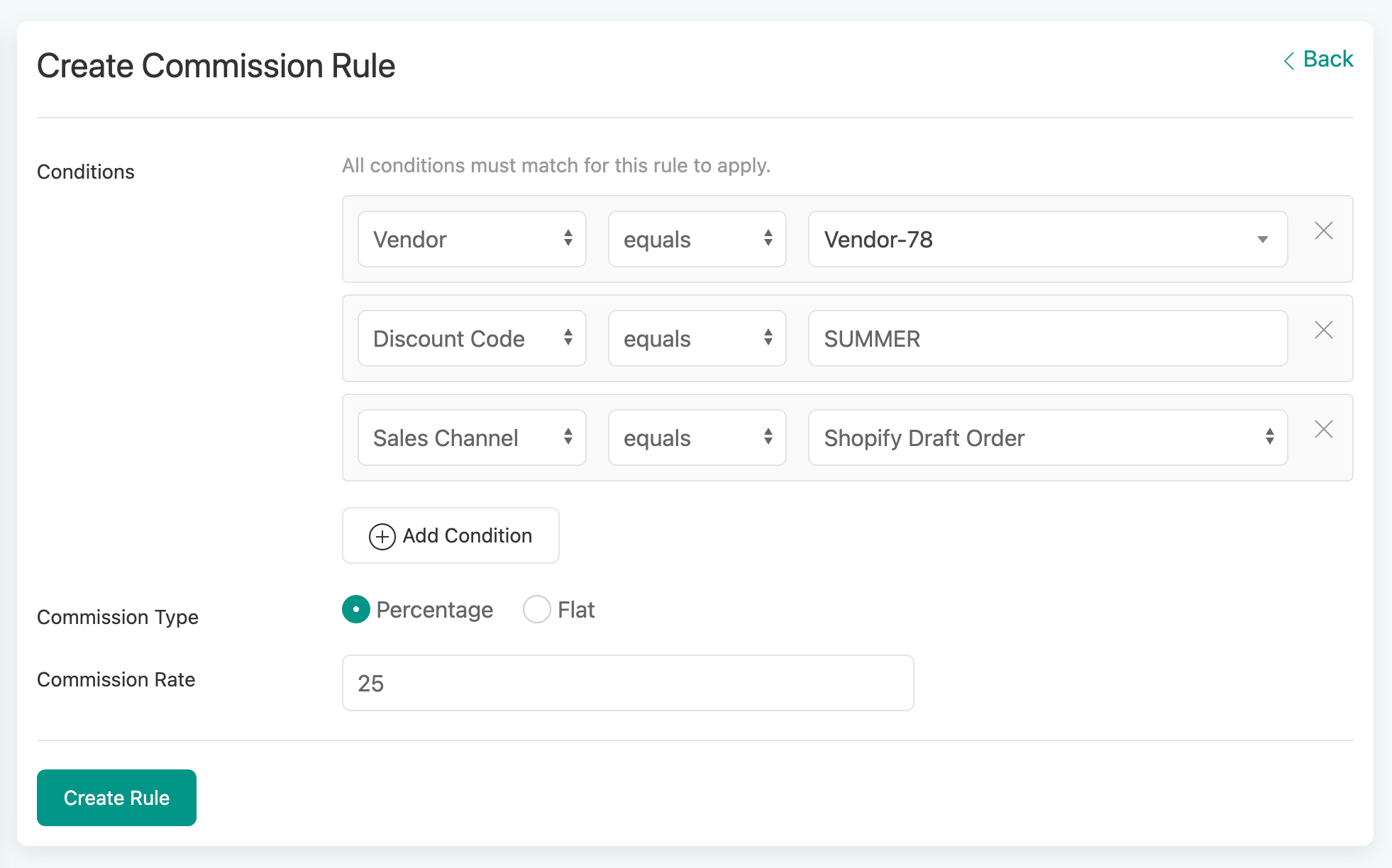
Commission Rules let you set up flexible rules that automatically calculate the right commission for every order. No more manual work.

How It Works

  1. Pick your conditions

Choose from 10+ fields to build your rule:

  • Product name, SKU, variant, product type, or tags

  • Discount code, payment method, or sales channel

  • Vendor, shipping method or location based sales

  • Custom tags, order tags, or currency/markets

  • Item price, quantity, or weight

Mix and match as many conditions as you need. For example: “If the discount code is SUMMER AND the Sales Channel is Point Of Sale, apply 12% commission.“

  1. Set your commission

Choose a percentage (e.g.: 15%) or a flat fee (e.g.: $4.00) for each rule.

  1. Let the system handle conflicts

When more than one rule matches an order, the highest commission automatically wins. No guesswork, no manual sorting.

Test Before You Go Live

Not sure which rule will match? Enter sample order details in the built-in testing panel and instantly see which rule applies. Fine-tune your setup with confidence before it goes live.

Already Have Commission Set Up?

If you’re using per-SKU or per-Product type commissions today, those automatically continue to match if no new rule matches.

A Few Extras

  • Rule names are auto-generated for you (and editable)

  • You'll see a warning if the same product is covered by multiple rules

  • Each rule shows how many products it affects at a glance. Ready to try it? Head to Settings > Commission Rules to set up your first rule. If you do not see it, ask our support team.

Ready to try it? Head to SettingsCommission Rules to set up your first rule.

May 13th, 2026

New

Improved

New Features

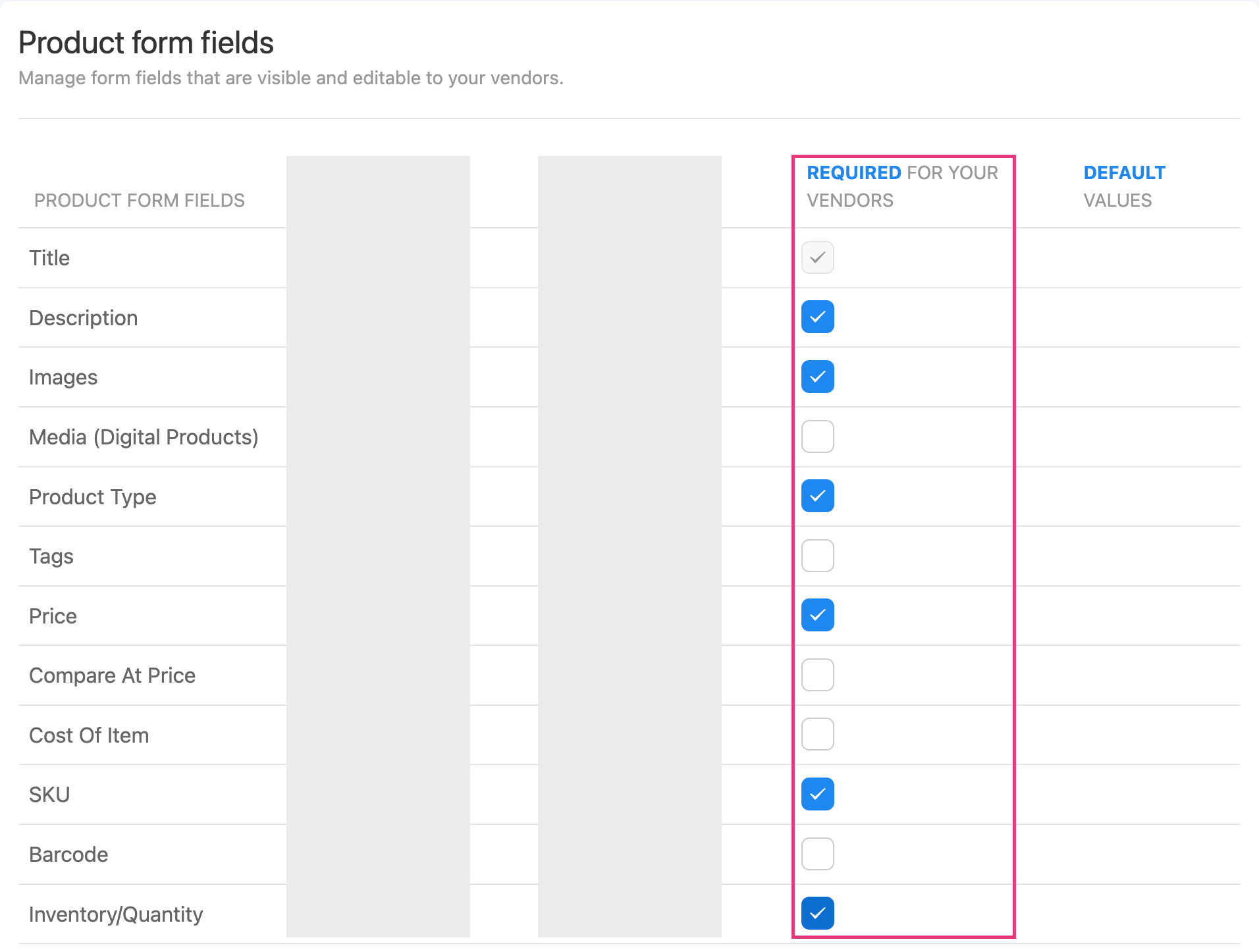
  1. Required Product Form Fields

You can now choose which product fields your vendors must fill in before saving. This includes description, images, price, SKU, barcode, inventory, weight, and more.

This gives you full control over product data quality across your marketplace. No more chasing vendors to complete missing information.

Head to Settings → Products → Metafields to set it up.

  1. Order Notes Visibility Control

A new toggle in Advanced Visibility Control lets you show or hide order notes from your vendor portal and packing slips.

When you have order notes that are only relevant to your internal team, simply toggle them off. Vendors won’t see them, and your pages load faster too.

🛠️ Improvements

  • Zebra Barcode Printing - Barcode labels now print crisper and more legible on Zebra thermal printers, with improved text sizing across label formats.

  • Multi-Language CSV Exports - Exported CSV files now display special characters correctly in Excel and Google Sheets. Great for stores with product names or vendor details in languages like Vietnamese, Chinese, Arabic, and more.

  • Automated Reporting Delivery Retry - If a scheduled vendor report fails to send, the system now automatically detects it and resends the next day.

  • Security: Vendor signup forms now include stronger protection against automated bot registrations.

March 24th, 2026

New Features

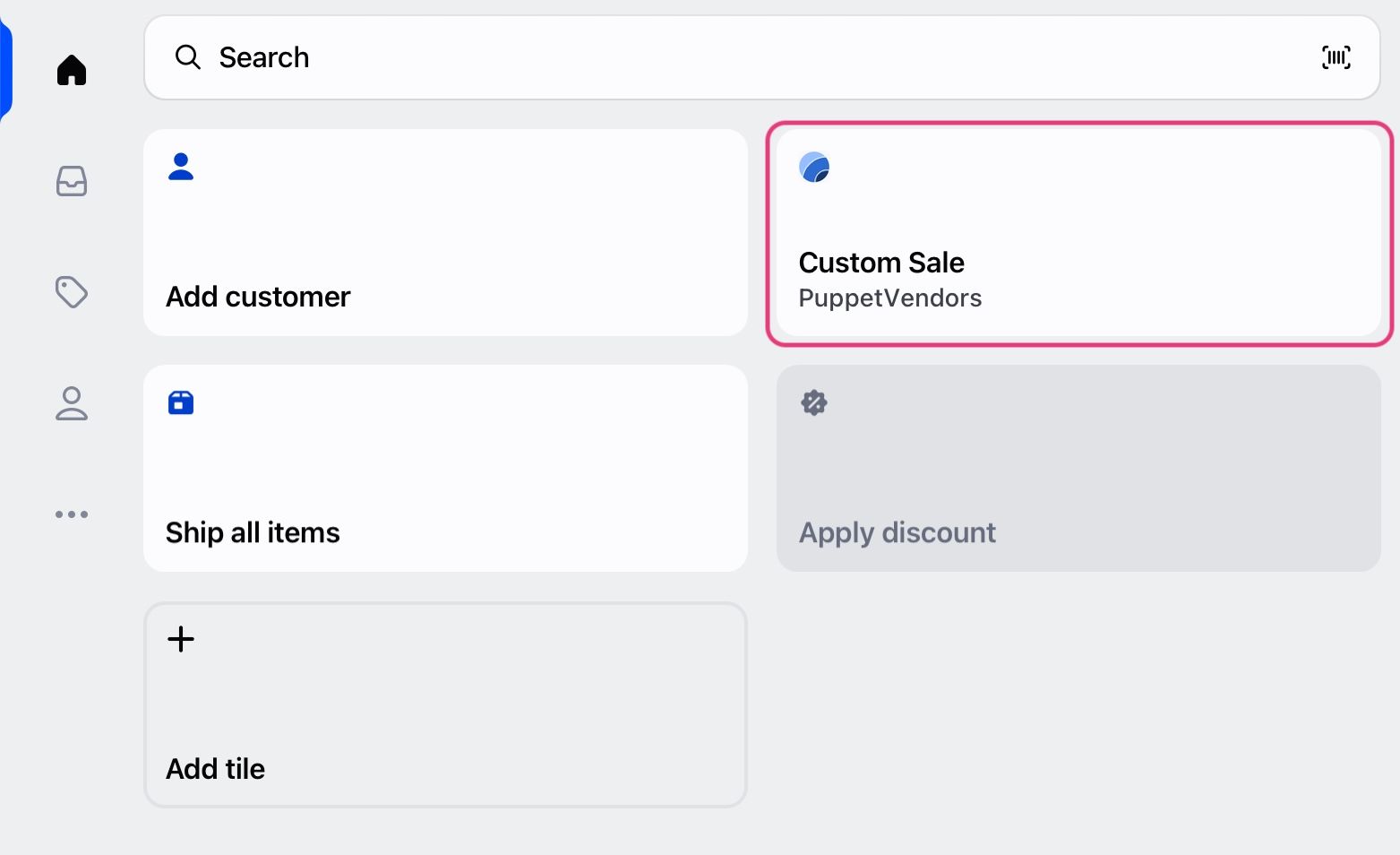
Introducing: Shopify POS Widget for PuppetVendors

You can now create custom sales in Shopify POS and assign commissions to vendors at checkout. No manual work. No clean up later.

What this means:

  • Commissions are tracked at the point of sale

  • No spreadsheets or post-sale fixes

  • Accurate payouts every time

Built for:

  • Consignment stores

  • Antique malls

  • Multi-vendor retail spaces

📘 Setup guide: https://help.puppetvendors.com/en/article/how-to-activate-and-use-puppetvendors-custom-sale-shopify-pos-widget-62wp8m/

🛠️ Improvements

🏷️ Improved Barcode Generation

We upgraded barcode tools to support real retail use.

  • Faster label creation

  • Better scanning reliability

  • Works well for high-volume stores

🌍 Improved International Shipping (Shippo)

We improved support for international shipping through Shippo.

  • More reliable rate calculation

  • Better handling of cross-border shipments

  • Smoother experience for global stores

✅ Easier Payout Item Selection

Selecting payout items is now simpler.

  • Use checkboxes to select items quickly

  • Reduce manual errors

  • Faster payout workflows

February 24th, 2026

Shipping and Refunds Policy in the vendor banner

Vendors can now display their own return and shipping policies directly in your storefront — detailing timeframes, costs, damage procedures, etc. This helps ensure transparency with customers and lets vendors set expectations. Store owners are encouraged to check vendor policies for consistency with overlapping store policy to avoid conflicts.

How it helps merchants

  • Greater transparency gains more customer trust

  • Gives clarity to customers as clear policies help avoid misunderstandings, returns and disputes

  • Better policy alignment

  • Improved shopper experience

  • Merchants can also set up the standard naming convention directly within Shopify

To learn more about how to set this up, please click here for the help document:

Verify white-label domain set-up

Verification ensures that your domain points correctly and loads securely.

To ensure everything is connected correctly alongside your white-label feature, you’ll need to verify your custom domain within the platform. Verification confirms that your DNS records are properly set and that your domain is secure, preventing issues such as broken links, login errors, or SSL problems.

Required Metafields and re-arrangement

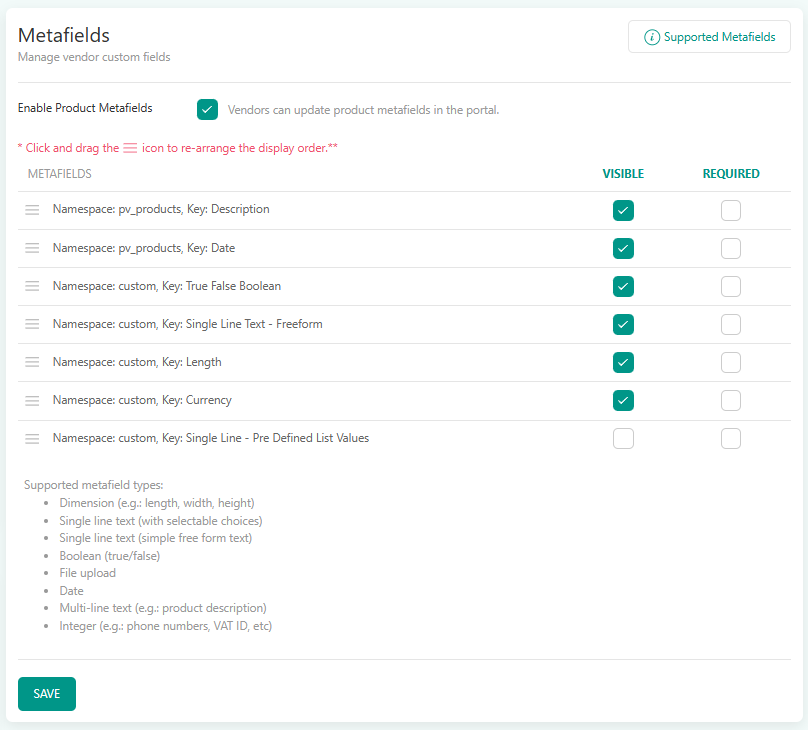
We’ve enhanced the Product Metafields configuration to give merchants greater control and flexibility. You can now define which metafields are visible and required at the product level. Additionally, metafield ordering has been optimized—fields can now be rearranged via drag-and-drop, allowing for faster customization.

Here is the link to learn more about Product Metafields.

Improvements and Bug Fixes

Mandatory fields - allows full control for merchants over product form fields
Improvement to visibility control settings documents download
Improvements to product approval processes that allows for larger number of approvals at the same time
Digital products delivery improvements via theme extensions - Customer download link are now on both ‘Thank you’ and ‘Order Status’ pages

February 16th, 2026

✨ New Feature: Vendor Subscriptions

Charge your vendors a monthly subscription fee to sell on your marketplace - fully no-code and natively integrated with Stripe.

What's new:

  • Create subscription plans with custom pricing tiers (e.g. Starter, Pro, Enterprise). Create upto 5 plans.

  • Set different commission rates per plan

  • Control catalog growth with product upload limits per tier

  • Automatic billing through Stripe - no manual invoicing

  • Vendors self-serve their subscription from the vendor portal

Why it matters:

Subscriptions give you stable, recurring revenue independent of sales volume. Early-stage marketplaces can monetize from day one instead of relying solely on commissions. Established marketplaces get better vendor tiering and predictable income.

How to get started:

Enable vendor subscriptions from your PuppetVendors dashboard under Settings or reach out to support to get activated.

November 10th, 2025

✨ New Feature: AI-Powered Product Descriptions. 50 Descriptions free!

Creating compelling product listings just got 25% faster.

We’re excited to introduce AI Product Descriptions — a game-changing feature that helps your vendors and team generate polished, persuasive product copy in seconds.

🧠 Just click “Generate with AI” and let our AI do the creative heavy lifting.

🛍️ Each description is tailored to highlight the product’s value, tone, and appeal — instantly.

🚀 Say goodbye to blank text boxes and hello to faster product launches.

Whether you’re adding new SKUs or onboarding multiple vendors, this update makes the product creation workflow smoother, faster, and more professional than ever.

Elevate your listings. Engage your customers. Let AI do the writing.


Other Improvements

  1. Prevent duplicate vendor account requests

  2. Discounts and Tax engines — greater control for you

  3. CSV exports for vendor report now consider visibility control settings

  4. More robust bulk product approval and publishing processes

  5. Vendors now have more control over confirming orders via order cancellations

  6. Additional security to prevent spam on signup pages - reach out to activate

  7. Support for the Vietnamese language